Give every possible adverse event in feedback one documented path: detected as the comment arrives, flagged with its full context, alerted to a shared PV mailbox or local safety team, confirmed by a named person, entered into your safety system and reconciled every day so nothing is lost. Each step needs an owner and a timestamp. The reporting timelines come from your SOPs and the regulations, not from the feedback tool.
We develop Screver, a feedback platform used in pharma, so read this with that in mind. Screver is a collection and routing layer that feeds your pharmacovigilance system; it is not a pharmacovigilance system, and your company keeps responsibility for every case.
How does one comment travel from feedback to pharmacovigilance?
One comment passes through seven steps, and the hand-over between the feedback platform and the PV team is where cases get lost. Map each step before you go live:
| Step | What happens | Owner | What is logged |
|---|---|---|---|
| 1. Arrival | A survey answer, web form, call transcript, CRM note or chatbot message comes in | Feedback platform | Original text, channel, time received |
| 2. Detection | The text is read and a possible adverse event or product quality complaint is flagged | Feedback platform | Time flagged, reason for the flag |
| 3. Alert | The full comment and its context go to the agreed recipient | Feedback platform | Recipient, time sent |
| 4. Receipt | A person in PV confirms the alert and takes ownership | PV team | Who, when |
| 5. Assessment and case entry | Validity, seriousness and causality are assessed; the case is entered in the safety system | PV team | Decision, case reference |
| 6. Follow-up | Missing information is requested from the reporter, where consent allows | PV team | Each follow-up attempt |
| 7. Reconciliation | Flags sent and cases received are compared, and every gap is closed | PV team, with the platform's report | Daily reconciliation record |
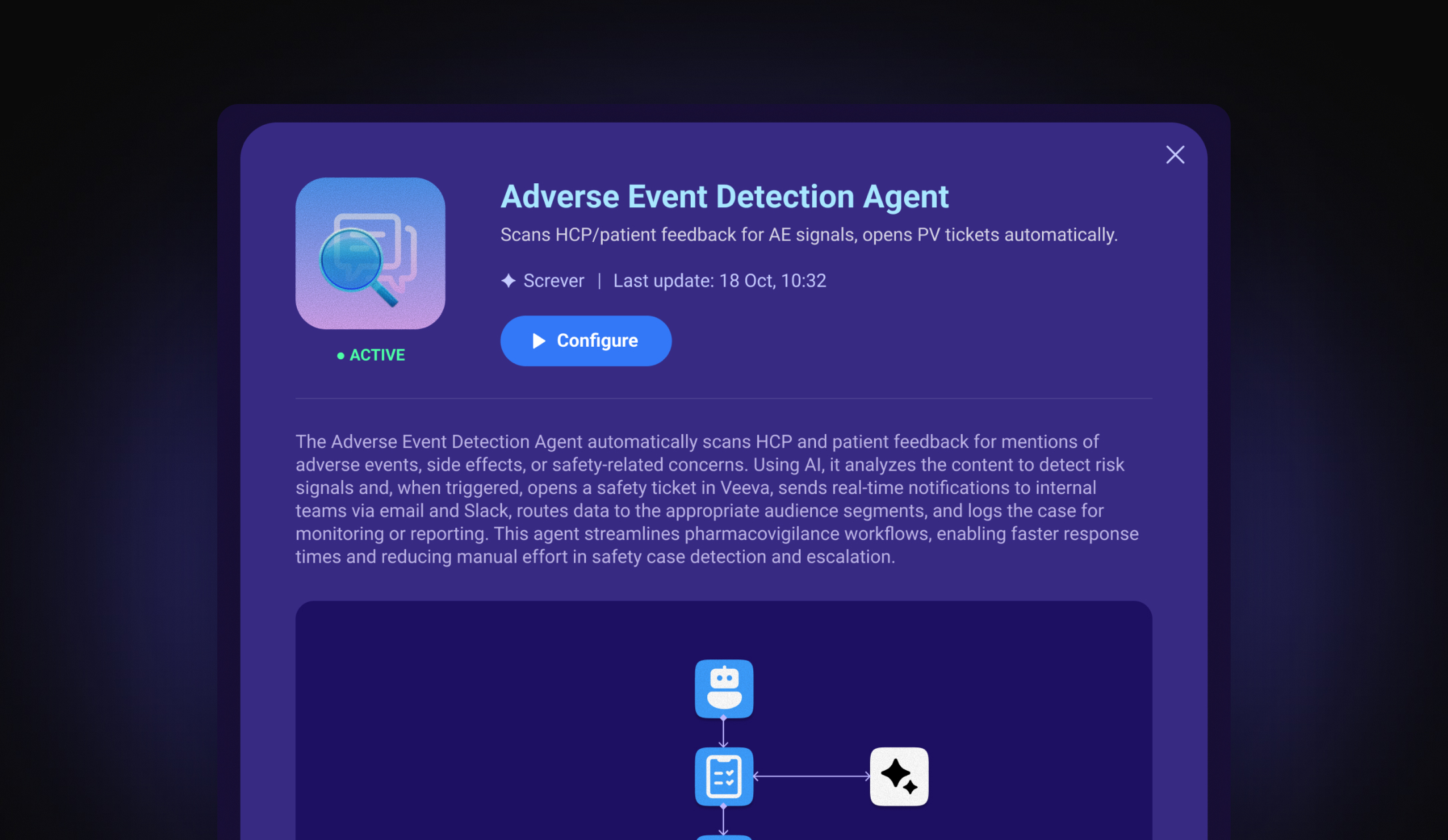
Screver covers steps 1 to 3 and supplies the log and the summaries for step 7: the Pharmacovigilance Alert Agent reads open-text answers as they come in, flags possible adverse events and safety mentions, and alerts your PV team with the full answer and its context, with every alert logged in an audit trail (adverse event monitoring).
Where should an adverse event alert go?
Send alerts to a shared PV mailbox or the local safety team of each market, never to a single person. Agree the routing with your PV team before the first survey goes out:
- By product and market: each alert goes to the team responsible for that product in that country.
- By urgency: real-time alerts for critical mentions or specific products; daily or weekly summaries with all flagged cases for everything else. Screver supports both.
- With a backup: a second recipient for holidays and weekends, written into the SOP.
- To the field, as a reminder: when reps or managers see feedback, their alert should remind them of their own reporting duty. At Organon Biosimilars, every real-time alert to the rep and the manager includes a reminder to handle adverse events and product quality complaints per Organon policy (Organon case study).
What should an adverse event alert contain?
An alert should let the PV reviewer decide without opening another system. Include:
- the full comment, verbatim and in the original language;
- the product, channel, market and language;
- the time the comment was received and the time it was flagged;
- the reason it was flagged;
- a unique ID and a link to the record;
- the respondent's contact details only if the respondent agreed to be contacted.
Keep the data in the alert to what the PV team needs. Screver hosts data on Google Cloud in Zurich, Switzerland, with disaster recovery in Frankfurt, acts as data processor under the GDPR and the Swiss nFADP, and never uses customer data to train AI models without written consent (compliance and trust).
When does the reporting clock start for adverse events in feedback?
Agree this with your QPPV before go-live, because the feedback channel may start the clock earlier than you think. Under the EMA's guideline on good pharmacovigilance practices (GVP Module VI), day zero is when any personnel of the company, including contractors, first receive the minimum information for a valid case: an identifiable reporter, an identifiable patient, a suspected medicinal product and a suspected adverse reaction. In the EU, serious cases must be reported within 15 calendar days. Three decisions follow for your SOP:
- Does the clock start when the platform flags a comment, or when a person in PV confirms it?
- Which contractor or agency receives feedback on your behalf, and how quickly does it pass it on?
- Are answers from your own surveys and programmes treated as solicited reports? GVP Module VI lists surveys of patients or healthcare providers among organised data collection systems.
The feedback platform can make the hand-over fast and visible. The timeline itself is your company's obligation.
How does adverse event reconciliation work for feedback channels?
Reconciliation is the regular comparison of what the feedback platform flagged with what your PV team received and entered, so that no possible case stays open without a decision. GVP Module VI asks for a confirmation or reconciliation process wherever reports pass between organisations under a contract. For feedback channels, run it like this:
- Count both sides: flagged mentions in the platform versus alerts received in the PV mailbox for the same period.
- Check every status: each flag is pending, confirmed as an adverse event, not an adverse event, or escalated. Nothing stays pending without an owner.
- Match case references: every confirmed adverse event has a case reference from the safety system.
- Check silent channels: a channel that normally sends feedback and suddenly sends nothing needs a look – an outage is a gap too.
- Record the result: date, counts, gaps found, how they were closed and who signed off.
How often to reconcile is set by your SOP. For channels that receive feedback every day, a daily check keeps any gap short.
How do you connect the route to your other systems?
Connect the feedback platform to the systems the comments already come from, and keep the PV hand-over as simple as your SOP allows. Screver triggers surveys from Veeva CRM after a logged call and integrates with Salesforce; its REST API and webhooks connect your own applications; and results can be exported to Power BI, Tableau or Qlik for safety and management reviews (Screver integrations). Any feedback collected with Screver can be screened – surveys after rep calls, Veeva-approved emails, congresses, web, QR codes and SMS, in 40+ languages.
How do you test the route before go-live?
Test the whole path with planted comments before real feedback arrives. A simple test plan:
- Write test comments in every language and channel you will run, including clear adverse events, borderline cases and harmless mentions.
- Check that every expected flag reaches the right mailbox, with the full text and context.
- Measure the time between submission and alert, and between alert and PV receipt.
- Run one reconciliation on the test data and check that every flag has a status.
- Review the audit trail with your QPPV or PV lead, then document the test for audits.
Screver runs this as the first pilot step: one survey or channel, agreed with your pharmacovigilance team – which mentions to flag, who receives the alert and how fast – before the workflow is scaled to more surveys, markets and languages.
Frequently asked questions
Who is responsible for reporting adverse events found in feedback?
Your company. The feedback platform flags and routes possible cases with an audit trail; your PV team reviews each one and decides how it is processed and reported under your SOPs.
Should adverse event alerts go to a person or a shared mailbox?
To a shared PV mailbox or a local safety team, with a named backup. An alert sent to one person can wait unread during holidays or sick leave.
What is adverse event reconciliation?
The regular comparison of possible adverse events flagged in a source – here, feedback – with the cases received and entered by the PV team, so that every flag has a decision and nothing is lost between systems.
Do all survey comments need to be screened for adverse events?
Any free-text field can contain a side effect, even in a survey about a congress or a service, so pharma companies review such comments under their pharmacovigilance SOPs. Screver flags them, so they reach the PV team instead of staying in a dashboard.