Automate the reading, flagging and routing; keep the decisions with your pharmacovigilance team. Software can read every open comment in every language, flag possible adverse events, attach the context and alert the PV team in real time with an audit trail. Whether a mention is a valid case, how serious it is, how causality is assessed and whether it is reported stays with qualified PV staff under your SOPs.
We develop Screver, a feedback platform used in pharma, so read this with that in mind. Screver is a collection and routing layer that feeds your pharmacovigilance system; it is not a pharmacovigilance system itself, and nothing in this article changes who is responsible for reporting.
What is automated adverse event management in feedback?
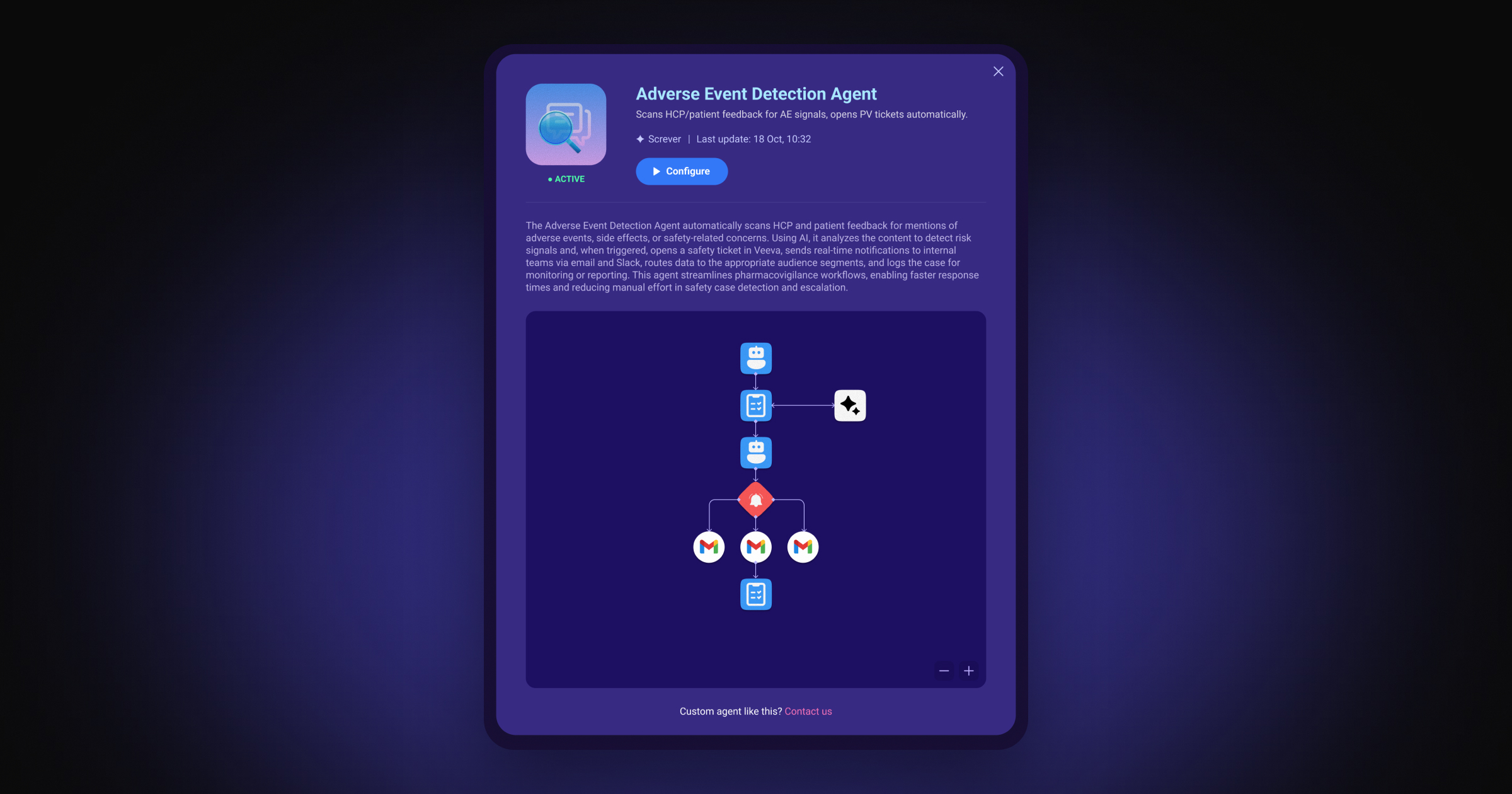
Automated adverse event management in feedback means that software, not a person, reads every free-text answer first and passes only the possible safety mentions to the PV team. Any free-text field can contain a side effect, even in a survey about a congress, a rep visit or a service. Screver's Pharmacovigilance Alert Agent reads survey comments, website forms, call transcripts, CRM notes and chatbot conversations, flags possible side effects and safety mentions, and alerts the PV team with a full audit trail (adverse event monitoring).
The alternative is reading every comment by hand. That works for a few dozen answers a week. It stops working when a programme adds markets, languages and channels, because the volume grows and the safety team does not – review becomes a backlog, and an unread comment field is hard to defend in an inspection.
Which adverse event triage steps should you automate, and which stay manual?
Automate the steps that are about volume and speed; keep the steps that need medical judgement or regulatory accountability. This split works for most feedback channels:
| Step | Automate | Stays with your PV team |
|---|---|---|
| Read every open comment | Yes – every answer, every language, as it arrives | Spot checks of what was not flagged |
| Flag a possible adverse event or product quality complaint | Yes – with the reason for the flag | Define what must be flagged, per product |
| Add context | Yes – product, channel, market, language, time received | – |
| Alert the right team | Yes – real-time for critical mentions, daily summary for the rest | Decide who receives what, and the backup |
| Decide whether it is a valid case | No | Yes – against the minimum criteria in your SOP |
| Seriousness, expectedness, causality | No | Yes – qualified reviewer |
| Report to health authorities | No | Yes – in your safety system, on your timelines |
| Follow up with the reporter | No | Yes – within what the respondent agreed to |
| Log every step | Yes – automatic audit trail | Review the log in audits |
The line is simple: software narrows the volume, people make the call. Nothing is reported to a health authority automatically.
Why is «is this an adverse event?» the hard part?
Patients and HCPs do not write in medical terminology, so a plain keyword list both misses real events and flags harmless ones. A list catches «rash» but not «I felt awful and stopped taking it». It flags «dizzy» even when the person was «dizzy with worry before the results came back». The examples below are illustrative, not client data:
| Comment | Flag? | Why |
|---|---|---|
| «I took the second dose on Tuesday and by the evening I was throwing up.» | Flag | Own experience, linked in time to a dose |
| «I stopped taking it because of the rash on my arms.» | Flag | Reaction plus discontinuation |
| «Is nausea a normal side effect? I want to know before I start.» | Usually no | A question about the label; no event has occurred |
| «My friend had a rash, but on a different drug.» | Usually no | Third person, other product – your SOP decides |
| «I was dizzy with worry before my scan.» | No | Figurative use, not a clinical event |
Good detection therefore needs context, not only words. Screver's AI is configured with your product list, safety keywords and internal documentation, distinguishes for example «headache» in an adverse-event context from a non-adverse-event context, and learns from the decisions of your human reviewers. When in doubt, the rule should be «flag and let a person decide» – a false alarm costs review time, a missed mention can cost a case.
Which adverse event management approach balances automated and manual reporting?
The balance that holds up in audits is automated detection and notification, manual decision and reporting. Ask any vendor, including us, to show four things on your own sample comments:
- Sensitivity first: how the flagging threshold is set, and how many real mentions a pure keyword list would have missed on the same comments.
- Reason for every flag: the reviewer sees why a comment was flagged, not only that it was.
- Human decisions feed back: confirmed and dismissed flags improve the keyword and context model, under your team's control.
- No automatic reporting: the platform alerts and documents; your PV team decides and reports.
There is no honest generic accuracy figure for this. Detection depends on the product, the therapy area, the languages and the channel, so measure it in a pilot on your own comments before you rely on it.
How do you keep human review fast?
Human review stays fast when the reviewer only sees what needs a decision, with everything needed for the decision on one screen. Set it up like this:
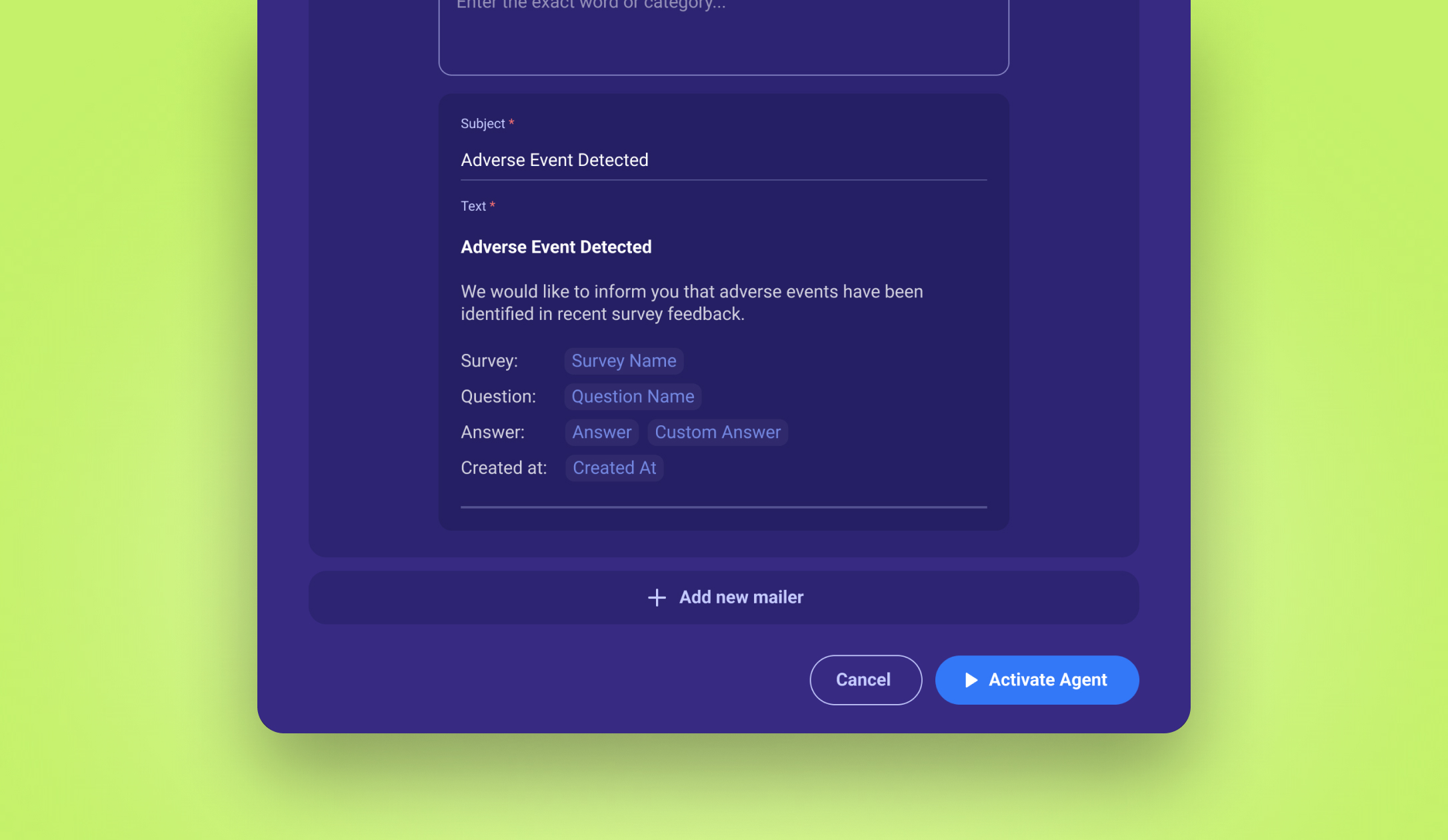
- Two speeds of alert: Screver sends real-time alerts for critical mentions or specific products, and daily or weekly summaries with all flagged cases for the rest.
- The full answer, not a snippet: the alert carries the complete comment and its context, so the reviewer does not have to search for it.
- Clear statuses: every flag is pending, confirmed, not an adverse event or escalated – and every status change has a name and a time.
- Shared inboxes, named backups: alerts go to a PV mailbox or a local safety team, never to one person who may be on holiday.
- Exports for oversight: Screver produces PDF or dashboard exports to Power BI, Qlik or internal systems for safety reviews.
What should the audit trail of automated triage show?
The audit trail should let an inspector follow one comment from arrival to decision without asking anyone. At minimum it shows:
- the original comment, unchanged, and when it was received;
- when and why it was flagged, and which keyword or context rule applied;
- who was alerted, and when;
- who reviewed it, the decision and the note;
- when it was passed to the safety system;
- every change to keyword lists and routing rules, with who made it.
In Screver, every alert is logged with its full audit history, and potential adverse events in open feedback are routed to your pharmacovigilance team, which stays in control of review and reporting (compliance and trust).
What do the regulators expect from automated triage?
The rules for adverse event reporting do not change because a machine reads first. Under the EMA's guideline on good pharmacovigilance practices (GVP Module VI), a valid case needs an identifiable reporter, an identifiable patient, a suspected medicinal product and a suspected adverse reaction, and the reporting clock can start when any personnel of the company, including contractors, receive that information. In the EU, serious cases must be reported within 15 calendar days. That is why the decision step and the timelines belong in your SOP, not in a vendor promise. The EMA's reflection paper on AI in the medicinal product lifecycle names adverse event report management as one use of AI and calls for a human-centric approach (EMA).
How do you start with automated adverse event triage?
Start with one survey and one PV workflow, then scale. Screver's model runs in three steps:
- Co-develop and pilot: one survey or channel; together with your PV team we agree which mentions to flag, who receives the alert and how fast.
- Refine and align: review the flagged answers, align the alert workflow with your SOPs and document every step for audits.
- Scale: once the workflow is proven, it covers more surveys, markets and languages – Screver collects feedback in 40+ languages.
Feedback that already runs elsewhere can be rebuilt in Screver, and the agent then checks every new answer. Where field teams collect the feedback, build the reminder into the alert itself: at Organon Biosimilars, every real-time alert to the rep and the manager carries a reminder to handle adverse events and product quality complaints per Organon policy (Organon case study).
Frequently asked questions
Can AI report adverse events automatically?
It should not. AI can read, flag and route possible adverse events and document every step; a qualified person in your PV team decides whether a mention is a case and reports it under your SOPs. Screver flags and routes; it does not report to health authorities.
Does automated triage replace the PV team?
No. It removes the manual reading of every comment, so the PV team spends its time on the mentions that need judgement: validity, seriousness, causality and follow-up.
How accurate is automated adverse event detection?
It depends on the product, therapy area, languages and channel, so a generic figure is not meaningful. Test it in a pilot on your own comments, compare it with manual review and keep a person in the loop for every decision.
Is Screver a pharmacovigilance system?
No. Screver is a collection and routing layer: it flags possible adverse events in feedback and alerts your PV team with an audit trail. Your company keeps pharmacovigilance responsibility and processes each case in its own safety system.